Every listener.
One glance. One keystroke.
PinePort shows everything listening on your box — which service, which port, how much RAM it's eating — sorted by what's heaviest. See it in the terminal or a PIN-locked web dashboard, and kill anything that shouldn't be there with a single command. One plain Python file that runs the same on Linux and Windows.
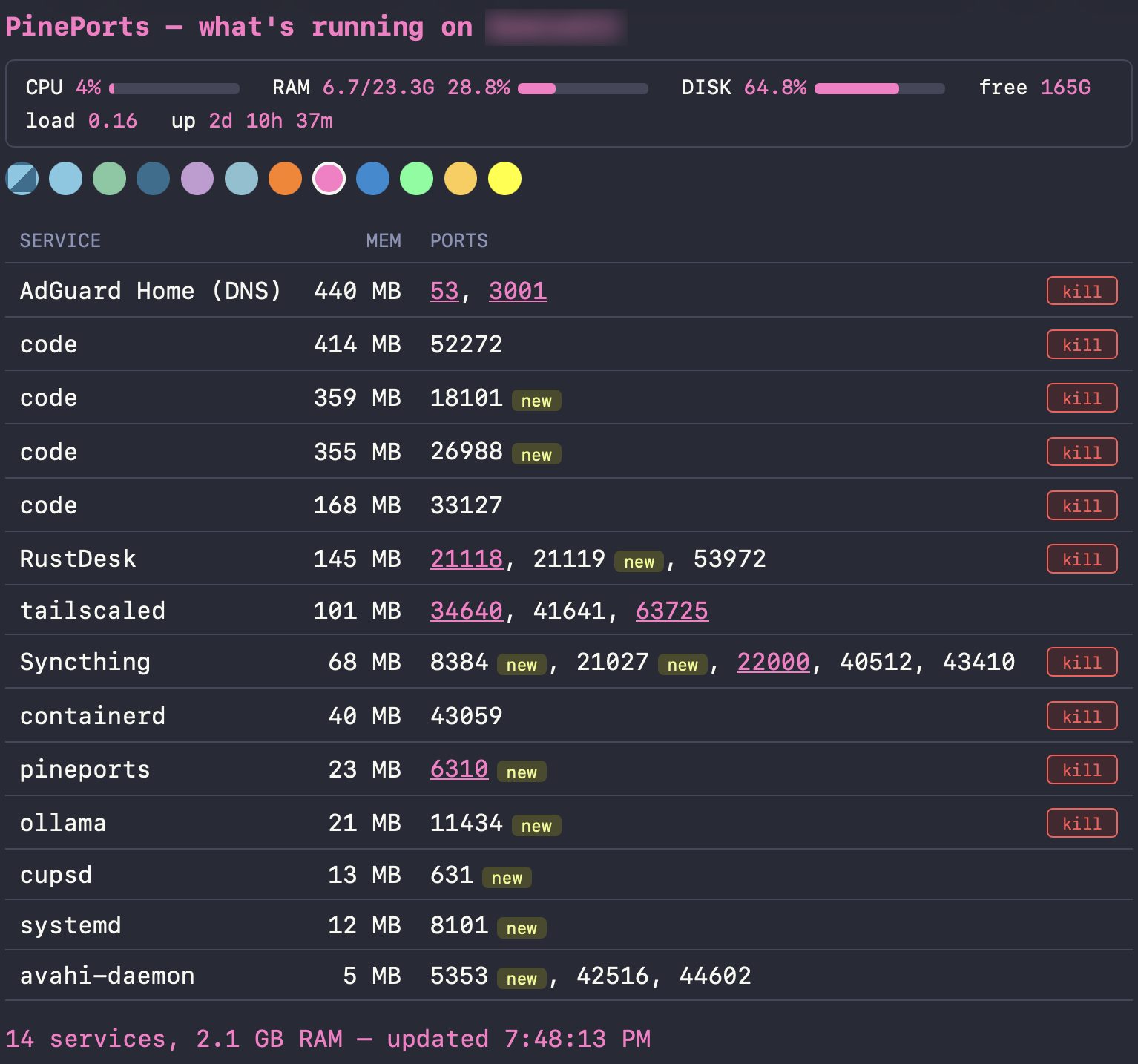
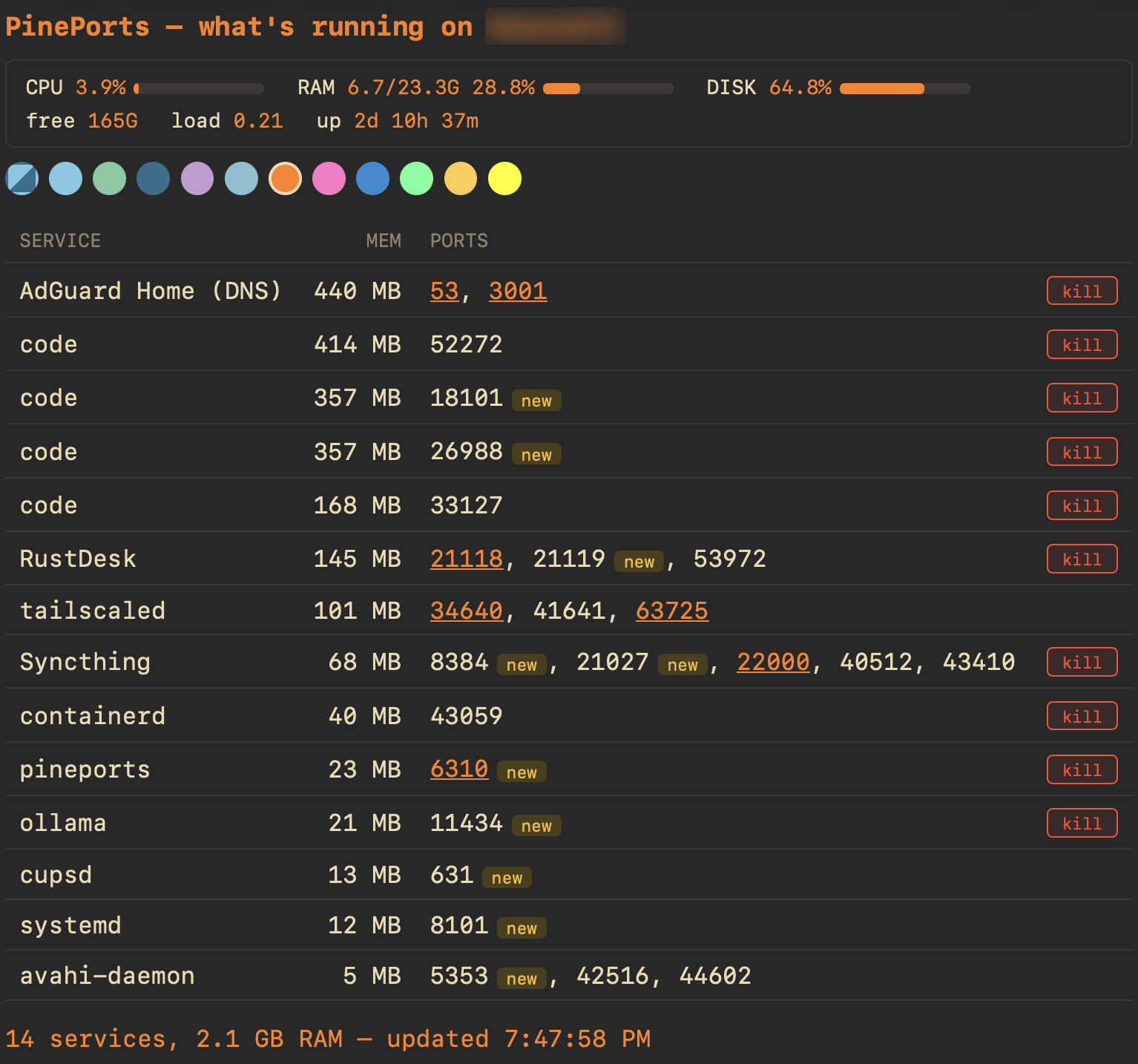
What's running.
What it's holding.
One command prints every listener on the machine: the process, the ports it owns, and its resident memory — heaviest first. No daemons, no agents, no config files to babysit. Same command, same output, on Linux and Windows.
Services — friendly names you assign, so 8792 becomes "RAG" and 6310 becomes "PinePort".
Memory — real RSS per process, sorted so the RAM hogs can't hide.
pineportspineports kill 11434Docker-published ports stop the whole container. Root-owned processes still die — through a sudoers rule you approve, scoped to exactly two commands.
The whole box, from any device.
Run it once as a systemd service and the dashboard serves on your LAN — or over Tailscale when you're away. It reads straight from /proc on each poll: no collectors, no time-series database, no cloud.
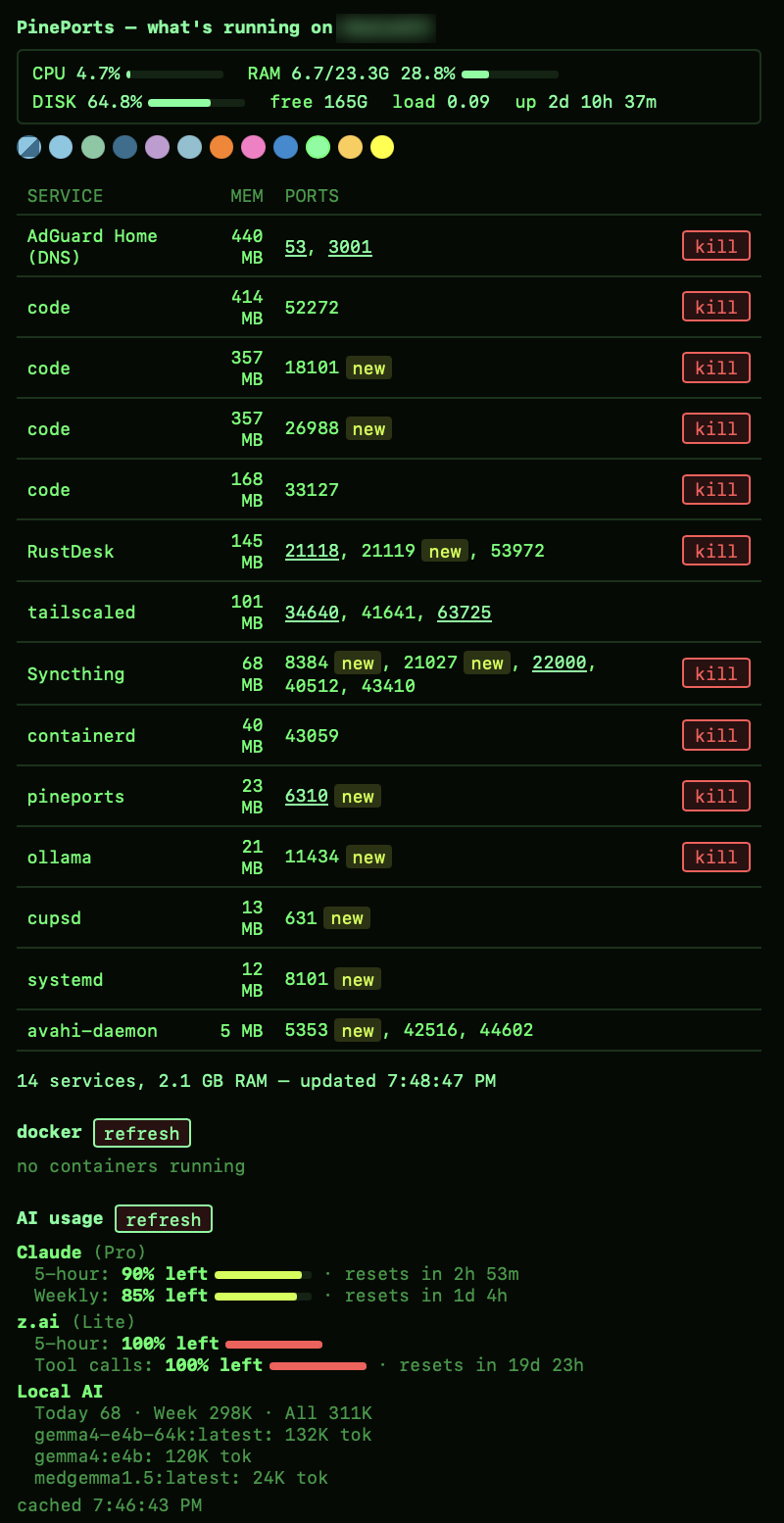
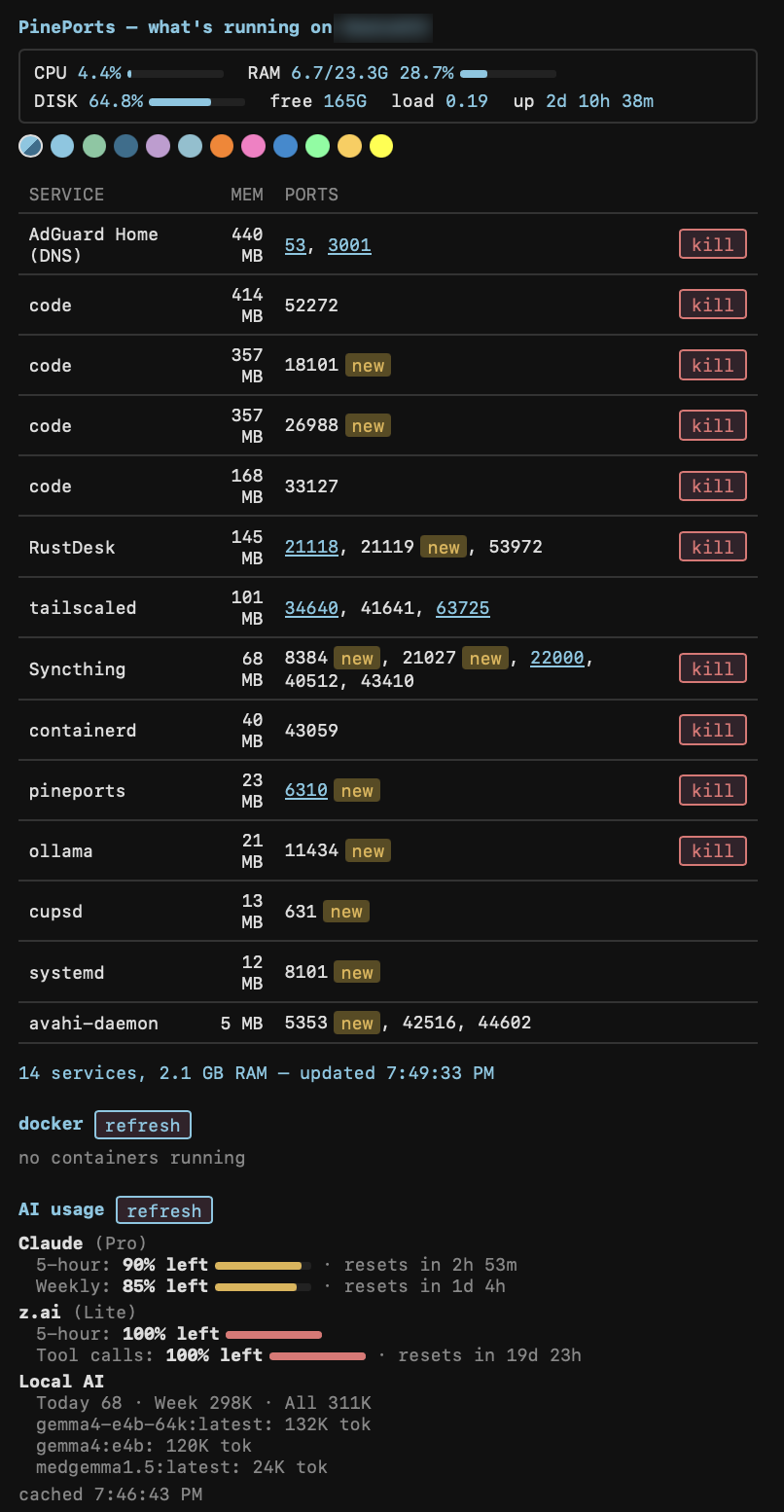
Live stats bar
CPU, RAM and disk with meters, load average, uptime, network throughput and live connection counts — refreshed every five seconds, read straight from the OS. On NVIDIA boxes, GPU utilisation, VRAM, temperature and power draw sit right in the same bar.
New-listener badge
A port that appeared in the last 24 hours gets flagged new — so a stray reverse shell can't quietly blend in. Labeled and ephemeral ports stay exempt.
Nineteen themes, one click
A grouped theme picker under the header — from understated (midnight, forest, paper) to full send (a Tetris well, a UFO abduction, a 70s wax lamp). Saved per browser, nothing stored server-side.
Kill buttons with judgment
Any user process dies with a click — but the buttons hide for system services like cupsd, avahi and tailscaled so a late-night click can't take your network down. A kill refuses to fire if the listener's PID changed since you loaded the page — refresh and try again beats killing the wrong process.
Linux and Windows, one codebase
Full parity — listeners, kills, stats bar and the whole web UI work the same on both. Same plain-Python file, standard library only.
A dashboard that grows.
PinePort probes your PATH at startup. Any tool that follows the contract — print JSON, support a cached mode — becomes a card on the dashboard automatically. Not installed? The card just doesn't render.
Needle — AI usage
Your Claude, z.ai, Codex and OpenRouter limits, right on the ports dashboard. Same open-source fetcher as the menu-bar app, now a card you can check from your phone.
see Needle →Docker — real container stats
Published ports show almost no RSS — the proxy isn't the container. The docker add-on surfaces true per-container CPU and memory straight from docker stats.
GPU — utilisation to fan speed
Utilisation, VRAM, temperature, power draw and fan speed per NVIDIA GPU via nvidia-smi — multi-GPU boxes get one block per card, and the headline readings land in the stats bar too. No NVIDIA hardware? The card quietly dims instead of erroring.
Yours next
One entry in the add-on registry plus one small render function is all it takes — drop a JSON-printing script on your PATH and it becomes a card. The contract is three lines long.
3-line contractTwo commands and a PIN.
Clone, install, set a PIN for the web UI. The whole thing is one Python file with no dependencies beyond the standard library — on Linux, that's the entire install. On Windows there's a double-clickable launcher.
The PIN is stored as a SHA-256 hash in your home folder, mode 600. Wrong PINs get a one-second delay; sessions live in memory, and changing the PIN instantly logs out every existing session. Re-pin any time with pineports --set-pin.
Killing root processes uses a sudoers rule you approve, limited to exactly ss -tulpn and kill. Nothing broader, by design. And a kill is refused outright if the process behind the port changed since the page loaded.
Over Tailscale, the dashboard is reachable from anywhere without opening a single port to the internet.
git clone https://github.com/KGthePM/PinePort.git && cd PinePort && ./install.shThe installer copies PinePort to ~/.local/bin, asks you to choose a dashboard PIN (hidden prompt, stored only as a hash), and starts the web dashboard as a systemd user service that runs at boot. Open http://<your-machine>:6310 when it finishes.
./install.sh./install.sh --reset-pin./install.sh --uninstallLinux: any distro with systemd and Python 3. To see and kill root-owned services, the installer prints an optional, narrowly scoped sudoers rule you can add. Windows: run start-pineports.cmd from the cloned repo — Python 3 plus pip install psutil is all it needs; stop/restart/test wrappers sit next to it.
Your box. Your network. Nobody else's.
PinePort has no cloud, no accounts, no analytics. It reads what the OS already knows and shows it to you — that's the entire product.
Runs locally
One plain Python file, standard library only. No daemons beyond the web UI you choose to enable.
PIN-gated
The dashboard requires a PIN, hashed at rest. Every endpoint is behind it, API included.
No telemetry
No analytics, no tracking, no phoning home — not even version checks.
Open source
Read every line on GitHub before you run it. It's short enough to actually finish.
Stop squinting at ss -tulpn.
Free and open source. Takes about two minutes to set up.